Set up H5P for Moodle
Download and install Moodle
Skip this step if you already have a functional Moodle installation.
- Download Moodle.
- Follow the usual installation instructions.

Looking for a hosting option?If you are looking for hosting option for your H5P content - try out H5P.com. H5P.com provides hosting and LTI integration with your Moodle site.
Install the H5P plugin
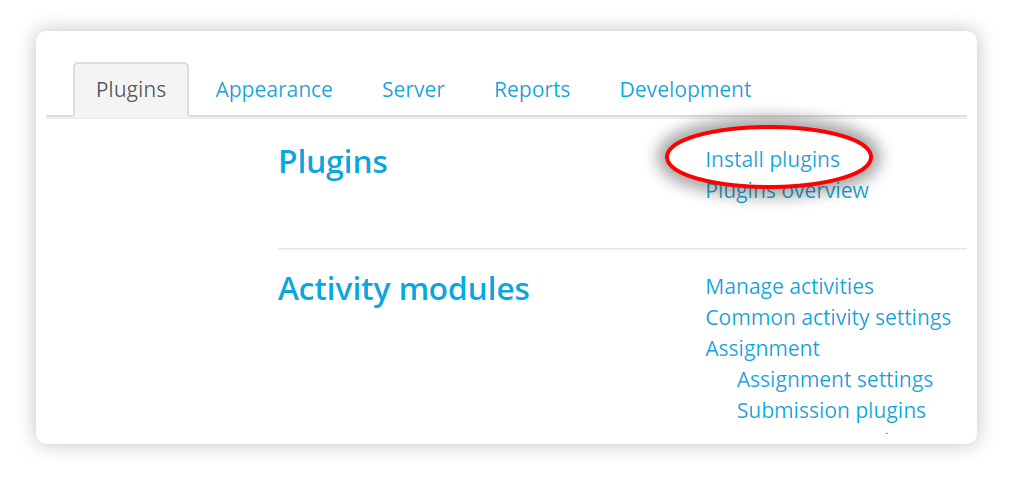
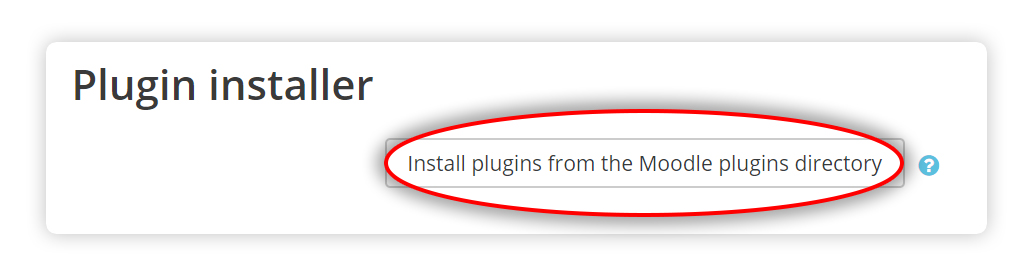
1. Log in to your Moodle installation as an administrator. Under Site Administration, Plugins in the admin menu, press Install plugins and then the button labelled Install plugins from the Moodle plugins directory.
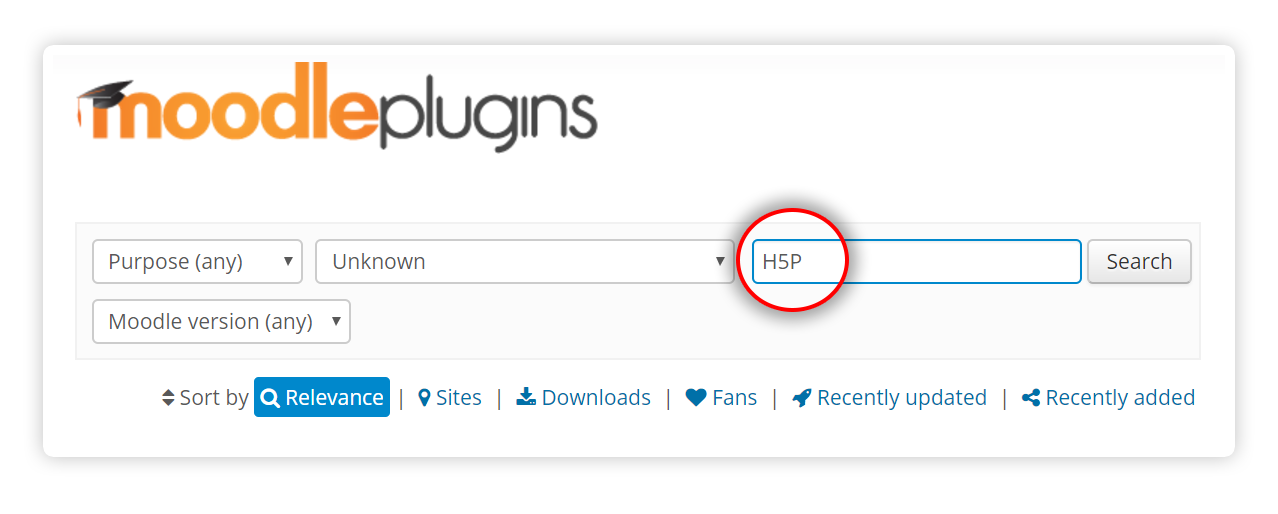
2. At this point, you may have to log into your moodle.org account. Locate the H5P plugin page and press the button labelled Install now.

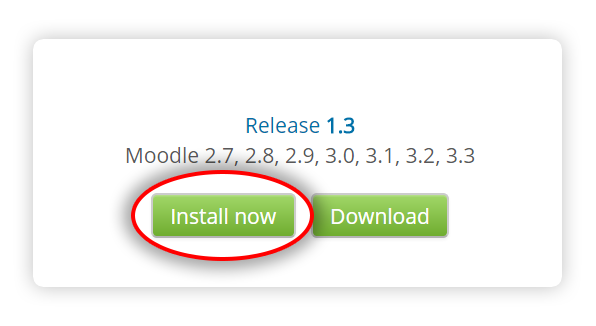
3. On the next screen, press the Install now link located next to the site ON WHICH you wish to install H5P.
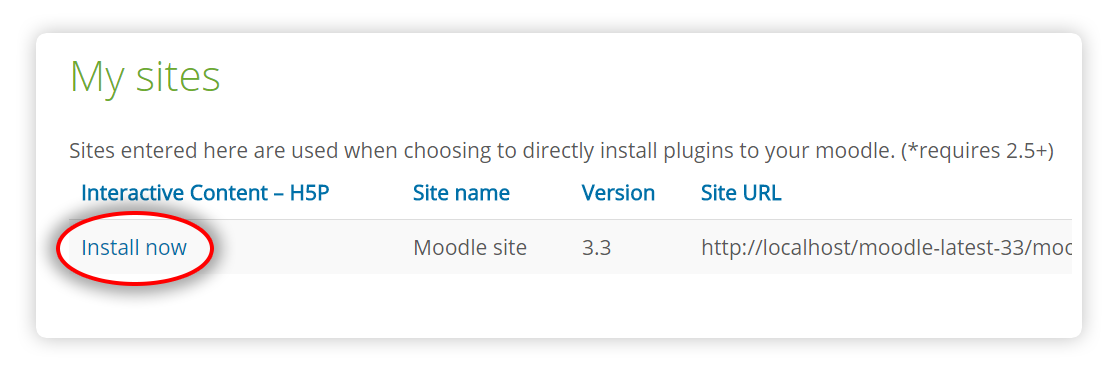
4. You will now be redirected back to your site, confirm the installation by pressing Continue.
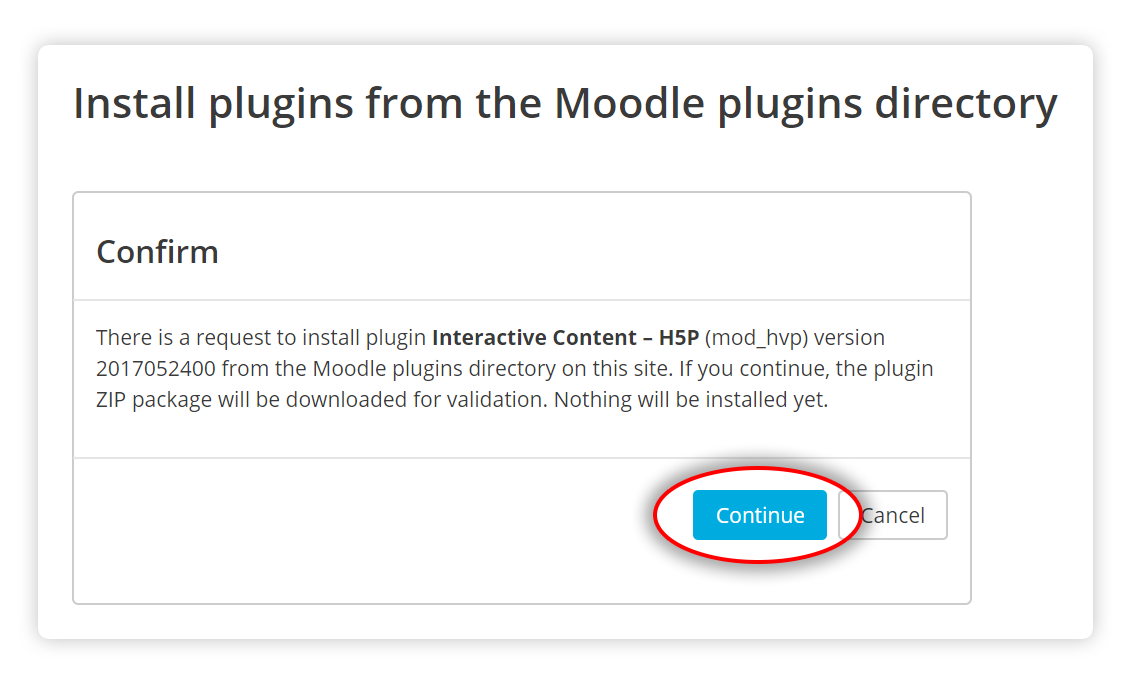
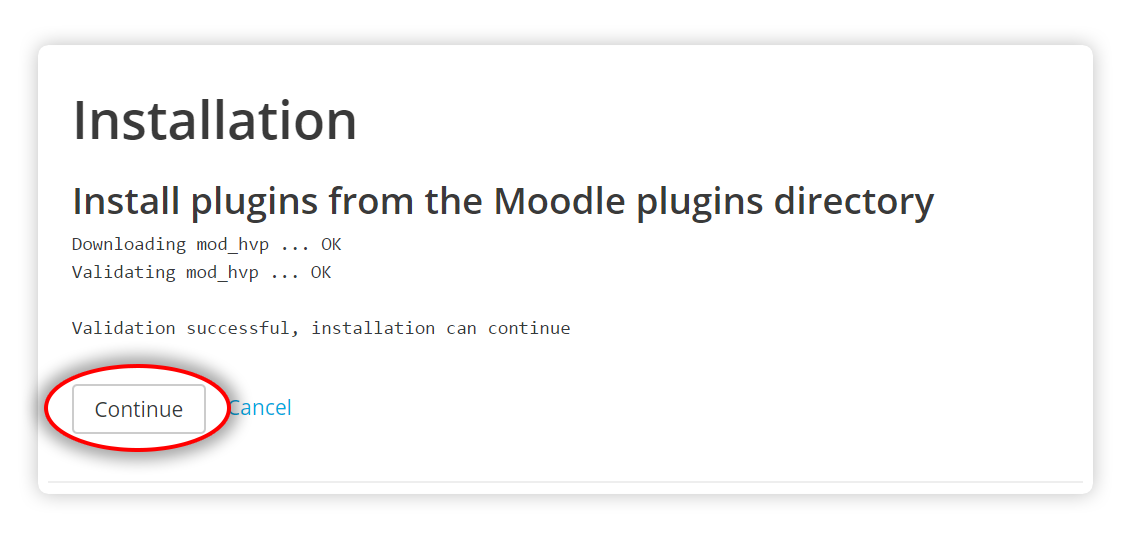
5. Review the install log and check for any error messages. Press Continue again.
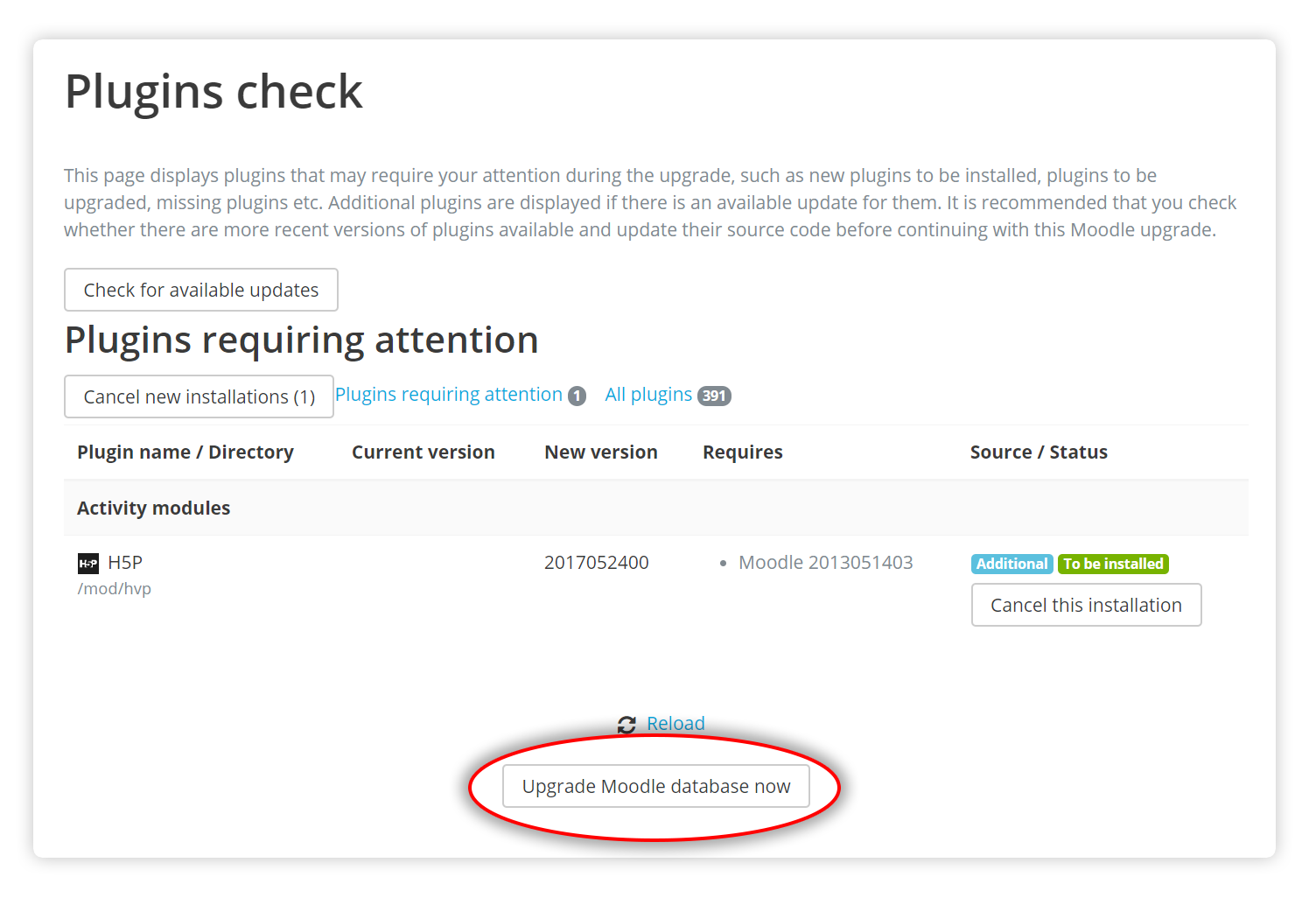
6. Now you'll be viewing the Plugins check page. Verify that the H5P plugin has the status To be installed. Proceed by pressing the button labelled Upgrade Moodle database now. (This may take some time)
7. You should now be greeted by a message from the H5P plugin. Please take note if the content types were automatically installed, if not you will need to go through the next section, Uploading and creating content. Press Continue when you are ready to move on.
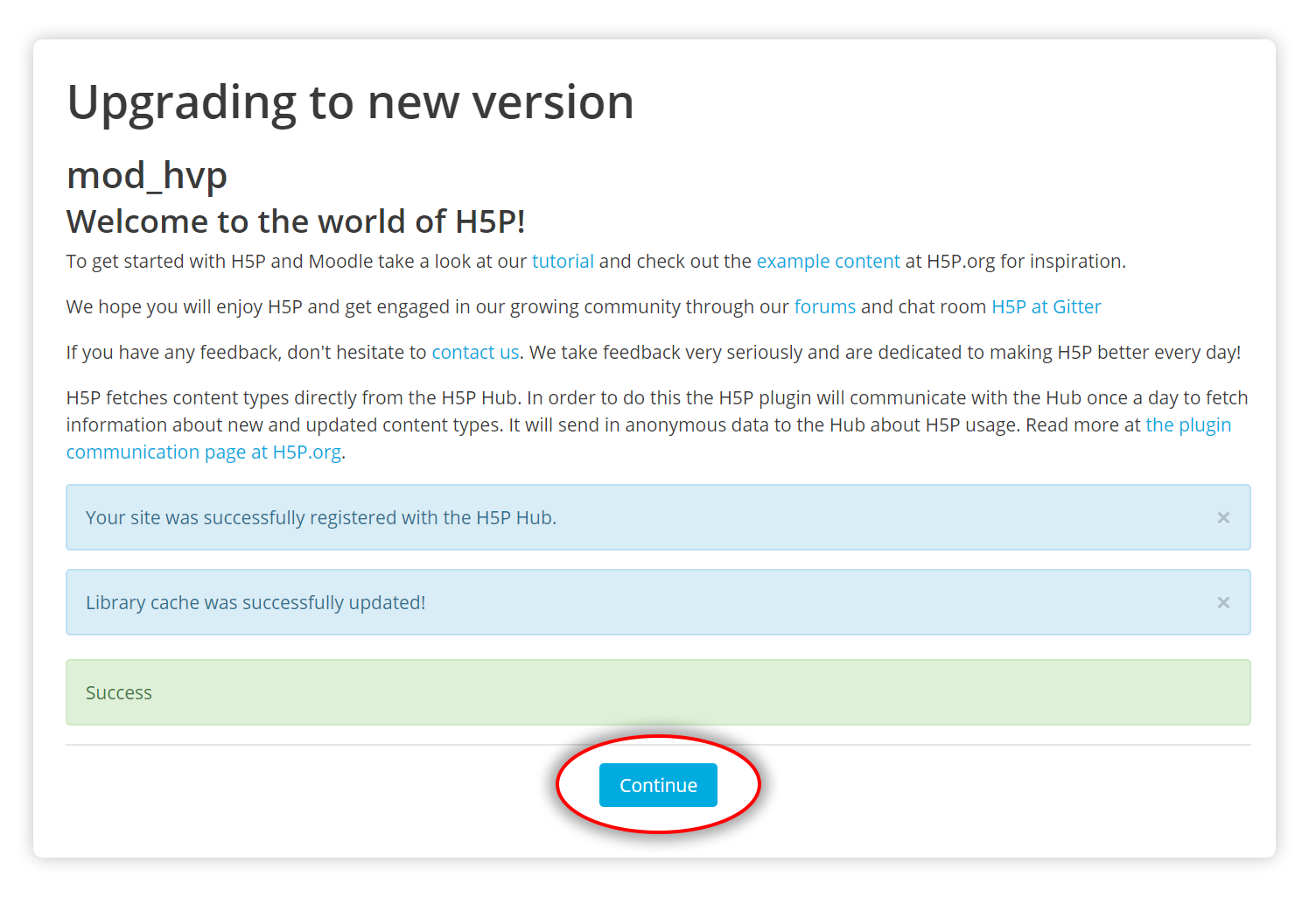
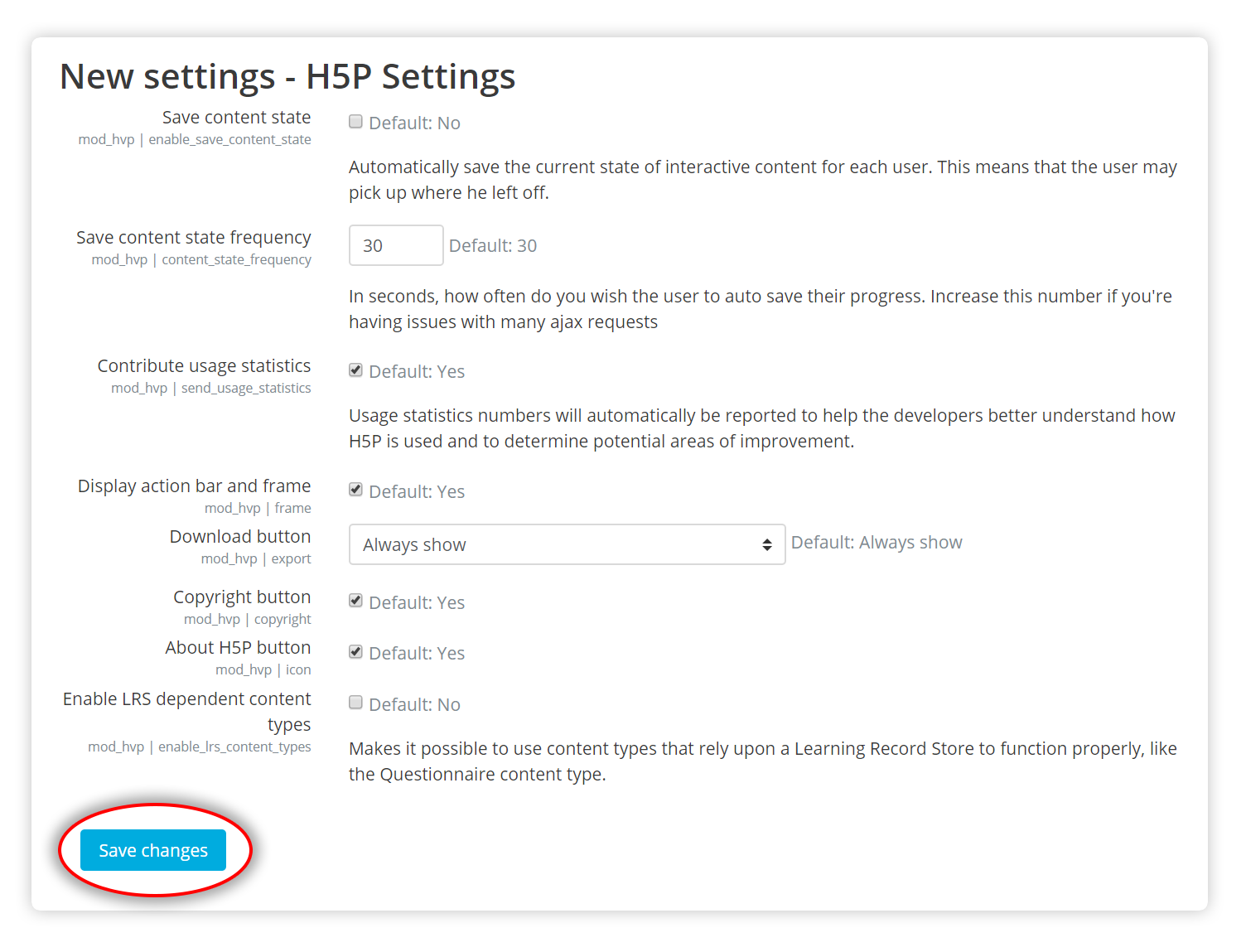
8. Verify the H5P Settings and press Save changes. The default settings should be fine for most sites.
That's it! If everything went smooth, you should now be ready to start creating H5P activities in your courses.
Create an H5P activity
- Log in as an administrator or a user that has the permission to create H5Ps inside a course
- Go to the course you wish to add the H5P content to
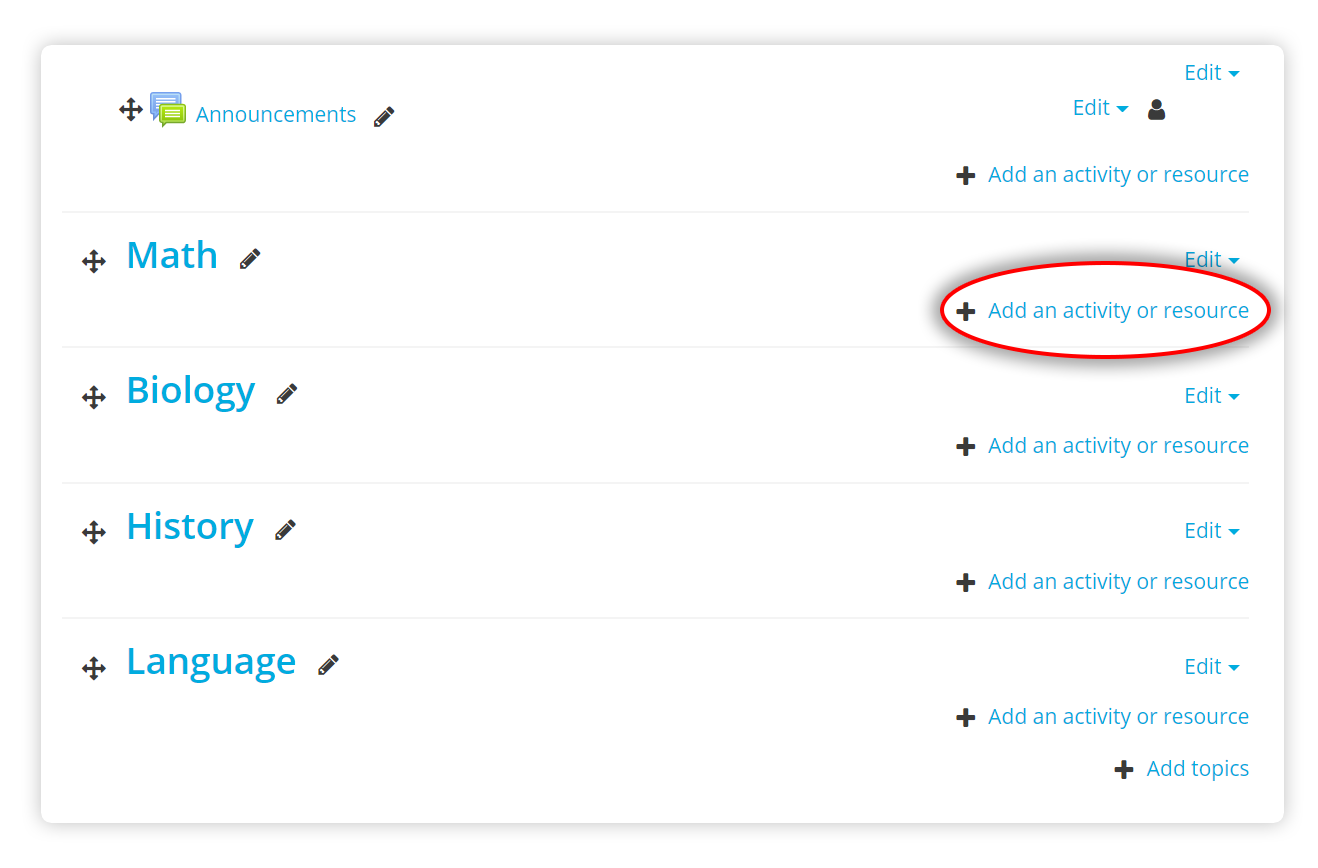
- Press "Add an activity or resource."
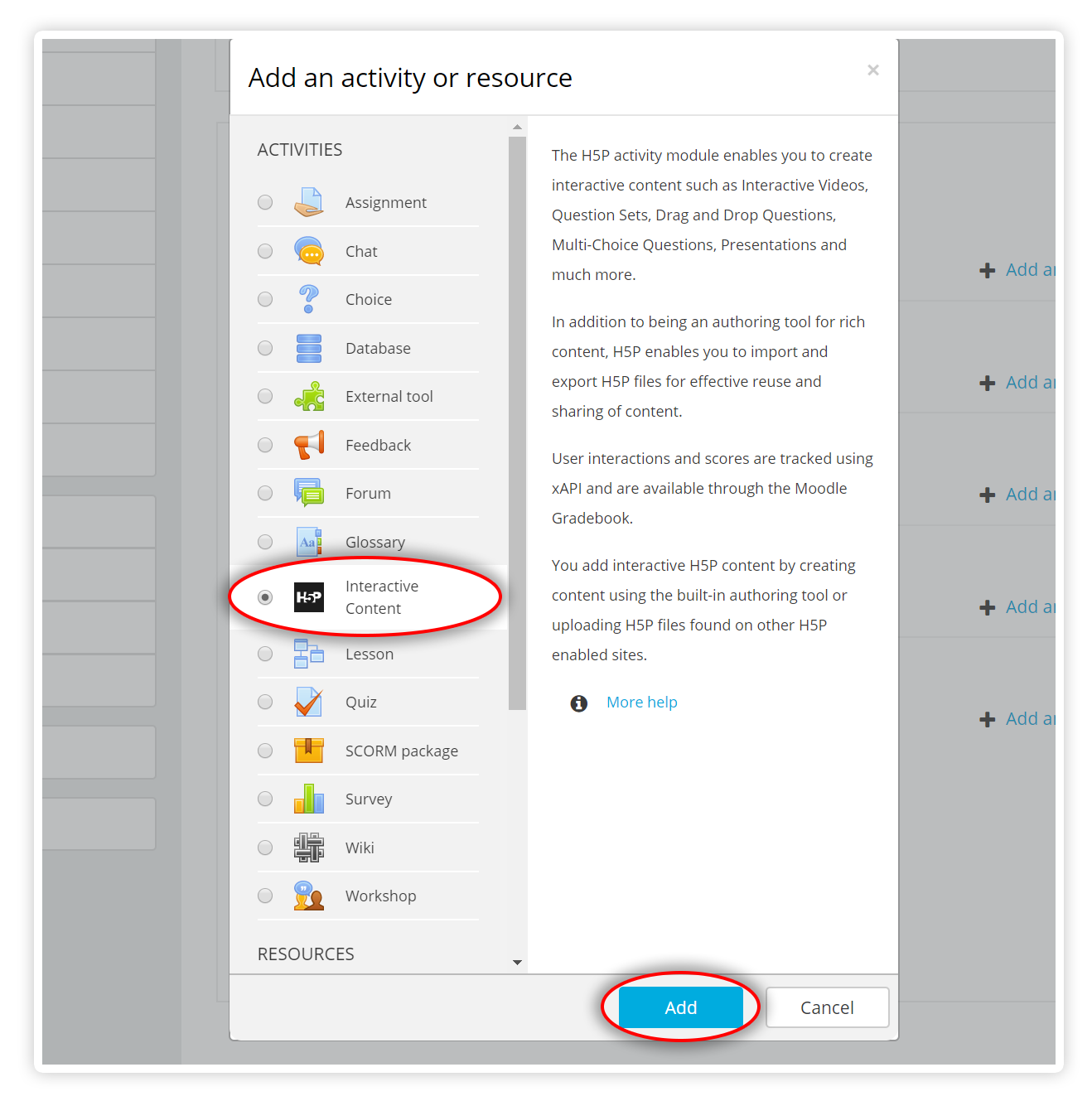
- Select H5P - "Interactive Content" and click "Add".
-
Finish creating or uploading your H5P content
-
Save the activity at the bottom of the form

Installing Manually
- Download the plugin from the H5P page.
- Visit Site administration -> Plugins -> Install plugins page (/admin/tool/installaddon/index.php).
- Select the Activity module (mod) as the Plugin type.
- Select the downloaded plugin file(zip), read and check the Acknowledgement box.
- Press the Install plugin from the Zip file button.
- Follow the process. Upgrade the database and afterwards, review and save the H5P settings page.
Feedback
If you find any bugs or issues, please report them.
Let us know what you think of the plugin or if you have any suggestions for improvement.
For further info and issue tracking, check out the h5p-moodle-plugin page on GitHub.
Enjoy making rich interactive content in your favourite LMS!

Comments
olucharles
Mon, 12/05/2016 - 17:26
Permalink
Libraries
I have Installed the H5P on moodle. I can't get the libraries installed. Could it be because the it is an internal server with 192.168... server ip address?
icc
Tue, 12/06/2016 - 10:53
Permalink
Yes, not all PHP setups are
Yes, not all PHP setups are allowed to download files. You can install the content types/libraries manually by downloading the .h5p file attached on the Update/install all recommended content types page and then uploading it to the /mod/hvp/library_list.php page of your Moodle installation.
olucharles
Tue, 12/06/2016 - 12:45
Permalink
Re: Libraries
Thank you fro your response, can you please advice if the .h5p will be uploaded to /mod/hvp/library or /mod/hvp/library_list.php. Thanking you.
icc
Tue, 12/06/2016 - 13:07
Permalink
Sorry for being unclear. You
Sorry for being unclear. You must upload the .h5p file through the form Upload Libraries on the /mod/hvp/library_list.php page.
olucharles
Tue, 12/06/2016 - 13:22
Permalink
Thanks
Apologies again for my trouble, I keep getting "errorCloseThe uploaded file exceeds the upload_max_filesize directive in php.ini.".. I have gone to my php.ini file to increase tjhe upload limit and restarted my server and still can't upload. Am sorry for troubling you.
Regards
icc
Tue, 12/06/2016 - 13:55
Permalink
Remember that max_post_size
Remember that max_post_size has to be larger than upload_max_filesize. Also, if you're using a server like nginx there might be some config option for the max size to the request body.
olucharles
Wed, 12/07/2016 - 13:34
Permalink
Thanks
I managed to change the php.ini. in the apache2, the problem was that I was changing the php.ini in cli. Thanks. I was abe to do the upload and didn'd work. So I decided to go through the install plugin from moodle directory and I get this error :"
"There is a request to install plugin Interactive Content – H5P (mod_hvp) version 2016113000 from the Moodle plugins directory on this site. However, the plugin installation pre-check failed (reason code: remoteunavailable)."
Any idea what this might be?
Regards
icc
Wed, 12/07/2016 - 13:38
Permalink
That is strange. Did you try
That is strange. Did you try to reinstall the plugin?
olucharles
Wed, 12/07/2016 - 13:40
Permalink
I did
Yes I did, It's saying: "Libraries N/A. and lots of red dotted lines
icc
Thu, 12/08/2016 - 09:52
Permalink
As long as PHP doesn't have
As long as PHP doesn't have access to remote sites(/internet access) it cannot download the content types automatically when the plugin is installed. This means that the admin will have to download the content types from h5p.test.schulcloud-thueringen.de and then uploaded them manually to their site, through the upload form on the Libraries Managment page.
After the upload, the libraries should be listed on the page you uploaded them to. If this isn't the case then something went wrong during upload. If so, you should then check the web server's error log for any messages. If you can't find anything there then you should probably enable debugging message through config.php while you upload: https://docs.moodle.org/31/en/Debugging#In_config.php
olucharles
Thu, 12/08/2016 - 13:34
Permalink
Big Thanks
Hi,
you are a star!!!!. I turned the debuging on as you advised and it turns out that my server is missing php mbstring which I installed and.....BAM it works!!! Thannks once again.
icc
Thu, 12/08/2016 - 14:04
Permalink
That's great, I'm really glad
That's great, I'm really glad that you got it working!
Steve Covello
Wed, 12/14/2016 - 18:56
Permalink
"Restrict" content in Moodle?
I have tested the H5P plugin in a Moodle 3.1 sandbox with success. However, m colleagues and I felt that some of the options should not be made available to out faculty. I tried using the "Restrict" checkbox next to the libraries I want to hide but it doesn't have an effect. The options for a new H5P content type remain the same.
What can I do to control which of the H5P content types can be displayed for faculty? I have searched in the documentation and online and could not find an answer.
icc
Thu, 12/15/2016 - 11:15
Permalink
Hi! I don't think this is
Hi! I don't think this is very well documented, so no wonder you didn't find it.
Actually, the 'restricted' content types can still be used if you have the permission 'mod/hvp:userestrictedlibraries'. By default, managers have this permission but not teachers. You should be able to see who have access at the /admin/tool/capability/index.php page and then revoke the permission using the Define roles page.
I hope this helps to achieve what you need. Let me know if you have any further questions.
Steve Covello
Thu, 12/15/2016 - 17:59
Permalink
Restricting H5P libraries in Moodle - Success!
Thanks for your help! Here are the steps, for others to review:
icc
Fri, 12/16/2016 - 09:30
Permalink
This is great, thank you!
This is great, thank you!
dgonzales1986
Mon, 01/09/2017 - 01:12
Permalink
Moodle Single Activity Course Replication
Hi I've created a course that I would like to replicate, but when I try to import the h5p activity it doesn't work. I've also tried backing up the original, downloading it, and importing it and that doesn't work. The h5p activity is just blank... I have multiple classes that will be using the same course and don't want to have to recreate it for every class. Do you know how I would be able to take a moodle course that has a single h5p activity and easily duplicate it into other courses? Any help is appreciated.
tomaj
Mon, 01/09/2017 - 09:23
Permalink
Duplicate problem
Hi dgonzales1986,
I think someone else is experiencing the same problems as you.
It would be good if we can contrinue the disscussion in this forum post.
- Tom
stopbit
Wed, 01/25/2017 - 14:38
Permalink
Flash?
Hi,
I've just upgraded the plugin and libraries for both wordpress and moodle 3.0
I haven't noticed this previously (as I had flash enabled) but I've disabled flash in my browser today and noticed a notification that H5P uses flash - at least in the presentation activity.
I was under the impression that H5P only used html5 + javascript.
Can a helpful member of your team tell me why flash is appearing in the editor and why? Is it required? will any harm occur if flash is disabled when editing?
Many Thanks and great work with the recent UI improvements.
thomasmars
Thu, 01/26/2017 - 09:10
Permalink
Hi,The video library uses
Hi,
The video library uses flash as a fallback if your browser does not support HTML5. I do believe that the downloadify library, which is required for downloading text files also uses flash. It should only kick in if you have defined exportable text areas and try to export them at the end of the presentation.
These are the exceptions to the rule, you should be able to use H5P perfectly fine without flash.
Could you tell me some more about when you get the notification from flash ? What browser are you using, and what content do you have inside your H5P ? What actions are you performing when you get the message ?
Thanks,
Thomas
stopbit
Mon, 01/30/2017 - 11:50
Permalink
flash Behaviour
Hi Thomasmars,
Thanks for your explaination.
I am using course presentation activity. Simply going into 'edit' mode triggers the flash warnings, regardless of existing content or creating new content. I'm using FireFox 50.1.0 browser, with flash plugin switched to 'notify'.
I've also tried editing a course preentation on the H5P site and I get the same warning. I also get the warning for Wordpress and Moodle.
I don't think it's an issue based on what you've told me, thank you.
Cheers
stopbit
Wed, 01/25/2017 - 15:39
Permalink
H5P Mods for moodle?
Hi,
I have customised some javascipt and css using the "H5P Mods" additional plugin for wordpress. I have now migrated my H5P contents to Moodle and require the same features I have provided by the H5P Mods to include my js + css.
So my question is this - Is there a H5P Mods available for moodle or something similar?
Many thanks for any help guys!
thomasmars
Thu, 01/26/2017 - 09:13
Permalink
Hi,There is no "H5P Mods"
Hi,
There is no "H5P Mods"/hooks available for Moodle yet, however they are a focus and should be available at the next release. You can follow along the issue at https://h5ptechnology.atlassian.net/browse/HFP-556 and there is an open pull request existing for it already at: https://github.com/h5p/h5p-moodle-plugin/pull/133.
- Thomas
stopbit
Mon, 01/30/2017 - 11:40
Permalink
Soon, hopefully
Hi Thomasmars,
Thanks for the reply, this really helps - it appears h5p mods for moodle is very close to being release / completed.
It's great to see such quick progress, I'll keep a very close eye on this.
Many Thanks
Kessandrajackson
Fri, 02/24/2017 - 20:03
Permalink
New to h5p!
Wow! Great resource.
ilyas ulker
Sun, 03/05/2017 - 07:58
Permalink
Students answer in moodle
Students are not allowed to embed code in their answers in moodle for security reasons:
So if a students tries to embed code in the answer, Moodle filters that out, like:
ilyas ulker
Sun, 03/05/2017 - 08:42
Permalink
Students answer in moodle
modol sistemine video yüklemek için kullanacağız
ilyas ulker
Sun, 03/05/2017 - 08:43
Permalink
Students answer in moodle
Students are not allowed to embed code in their answers in moodle for security reasons:
So if a students tries to embed code in the answer, Moodle filters that out, like:
mwilday
Tue, 03/07/2017 - 00:49
Permalink
H5P / Moodle Scoring enhancements?
We've integrated H5P into our mood instance and the one thing I note is that scoring is a little wonky. It would be great if we could add point values to the specific words, creating higher value questions and higher value answers. So maybe we could do This is a *sentence*:a collection of words#2 to indicate that the item is worth 2 points instead of one? Just a thought.
tomaj
Tue, 03/07/2017 - 06:39
Permalink
Ref. feature request
Hi Mwilday,
Thanks for your feedback. I saw that you had added this as a feature request too. Very good, that's where this will get noticed!
- Tom
akoharek
Wed, 04/05/2017 - 15:55
Permalink
moodle mobile content
hi all!
we love h5p content in our moodle as it looks and works much nicer then moodle core functions. As moodle has its own mobile app we checked how h5p content looks like on mobile, however the app does not show it, only a link to open moodle in a mobile browser. Do you hav any plan to make h5p available on moodle mobile client?
thanks
andrás
stopbit
Wed, 04/05/2017 - 16:36
Permalink
Curious
Hi,
I'm also curious about the Moodle Mobile App and compatibility with H5P activities.
IT would make the whole experience much better as some of my courses are now almost entirely built using H5P activities.
Thanks
thomasmars
Thu, 04/06/2017 - 10:37
Permalink
Hi, Moodle Mobile is in the
Hi, Moodle Mobile is in the pipeline (https://h5ptechnology.atlassian.net/browse/HFP-252) for things to work on, but has not gotten priority yet. We would love pull requests for this to speed it up though, if you add it to the "feature request" forum there is a much higher likelihood that this will get worked on faster.
akoharek
Thu, 04/06/2017 - 12:59
Permalink
Thanks,
I submited a feature request. Please keep me updated on this!
andrás
gtielemans
Thu, 04/06/2017 - 16:10
Permalink
Thanks
Thanks
Fabulari
Mon, 05/01/2017 - 13:34
Permalink
Add more questions in the same activity
Hi!
I work with H5P in Moodle but when I add an activity, for example, true or false, it is only possible to have one question in this activity. How can I add more in the same activity instead of creating a new one?
Thanks a lot.
icc
Tue, 05/02/2017 - 10:19
Permalink
Please see this answer.
Please see this answer.
Chris-sy
Fri, 05/12/2017 - 07:59
Permalink
Usage in Totara
Hi everyone, do you know if it's possible using the H5P tools also in Totara (= business solution of Moodle)? The second question would be: is it possible to really use the data users are putting into a H5P tool (e.g. in a survey) and to forward this data to other activities? Or what is the real added value of the Moodle Plugin?
icc
Fri, 05/12/2017 - 10:15
Permalink
I don't know that anyone has
I don't know that anyone has tested it in Totara, but seeing as it's built on Moodle I don't see any reason why it shouldn't work.
Almost all of the H5P content types provide xAPI statements whenever the user does something. Meaning that a system that uses H5P can use these statements for whatever they like. By default, Moodle only adds the result to the Gradebook, but in theory, they can be used for anything. I know that it's popular to use an LRS to collect all of these statements and then analyze them – making it fully possible to use H5P as a survey tool.
Agroll
Fri, 05/12/2017 - 14:12
Permalink
Acitivity Completion and restricted access to activity missing?
Looking at your tutorial, I can see that there is no activity tracking which is required to set up course completions. How would this then work with H5P activities?
Thanks, Angela
thomasmars
Mon, 05/15/2017 - 10:09
Permalink
Hi, there should be support
Hi, there should be support for activity completion in most H5P content types, through either viewing the activity, getting a grade for the activity or making the student mark the activity as completed.
guya
Tue, 05/16/2017 - 07:32
Permalink
unable to install the mod to moodle 3.1
in the last part of the installation we get this error.
[Tue May 16 08:17:01.110251 2017] [proxy_fcgi:error] [pid 31937:tid 140048020178688] [client 00.00.00.00:52063] AH01071: Got error 'PHP message: PHP Warning: Cannot modify header information - headers already sent by (output started at /data/sites/anako/moodle/lib/upgradelib.php:1400) in /data/sites/anako/moodle/mod/hvp/library/h5p.classes.php on line 2784\nPHP message: PHP Stack trace:\nPHP message: PHP 1. {main}() /data/sites/anako/moodle/admin/index.php:0\nPHP message: PHP 2. upgrade_noncore() /data/sites/anako/moodle/admin/index.php:683\nPHP message: PHP 3. upgrade_plugins() /data/sites/anako/moodle/lib/upgradelib.php:1742\nPHP message: PHP 4. upgrade_plugins_modules() /data/sites/anako/moodle/lib/upgradelib.php:432\nPHP message: PHP 5. xmldb_hvp_install() /data/sites/anako/moodle/lib/upgradelib.php:702\nPHP message: PHP 6. H5PCore->fetchLibrariesMetadata() /data/sites/anako/moodle/mod/hvp/db/install.php:10\nPHP message: PHP 7. H5PCore::ajaxError() /data/sites/anako/moodle/mod/hvp/library/h5p.classes.php:2461\nPHP message: PHP 8. H5PCore::printJson() /data/sites/anako/moodle/mod/hvp/library/h5p.classes.php:2772\nPHP message: PHP 9. header() /data/sites/anako/moodle/mod/hvp/library/h5p.classes.php:2784\n', referer: http://anako.moodle3.dev.openu.ac.il/admin/index.php?cache=0&confirmplug...
i could not find anything on google regarding that.
can anyone please help ?
thank you.
thomasmars
Tue, 05/16/2017 - 09:47
Permalink
Hi, there seem to be two
Hi, there seem to be two problems.
The first one is that you are not able to register your site with h5p.test.schulcloud-thueringen.de, which is necessary in order to make the H5P Hub work for communication purposes.
The second is that the code expects that you are in an AJAX, so it tries to return headers, but you are not.
There are many things that could cause the first issue, make sure that your server is allowed to communicate with external APIs. I have created an issue in the H5P public issue tracker for the second problem, which must be fixed in code.
guya
Tue, 05/16/2017 - 12:23
Permalink
thank you
i will re check the issue of connectivity.
thomasmars
Mon, 05/22/2017 - 13:39
Permalink
Hi, did you find a solution
Hi, did you find a solution to your connectivity problems ?
I also wanted to ask if the installation completely fails when you get this error, or if the H5P plugin still gets installed, you just get some warnings ?
The issue regarding your PHP errors has been fixed on github, and will be available with the next release of the Moodle plugin.
CraigB
Tue, 05/30/2017 - 07:09
Permalink
HP5 not working in Moodle
Hi,
I've been allowed test access to our Moodle environment. I can embed video (MP4) in said Moodle environment and when I link the video to HP5.org, allowing me to upload the video here to HP5's environment and create an interactive video, for testing purposes (I am still waiting on our side administrators to download/install the HP5 plugin to Moodle).
However, when I try and share the link of my complete work to my colleagues, the video claims its file type is no longer supported. That makes zero sense, as I was not only watching that very video here on HP5, but adding interactivity to it.
Any advice would be greatly appreciated. Please get in touch with me via my e-mail address: [email protected]
Kind regards,
-Craig
icc
Tue, 05/30/2017 - 09:36
Permalink
1. You are probably logged
1. You are probably logged into Moodle and the file is only accessible to you. Try testing the video in another browser where you are not logged in.
2. It could be that they're in an environment that doesn't support mp4 – for this reason, you should always have two different video formats.
3. It's called H5P, not HP5.
LernFilme
Fri, 06/23/2017 - 14:19
Permalink
MoodleCloud?
Does the h5p plugin also work with the MoodleCloud? We want to create a free account to test the analysis of the results.
Best Regards!
thomasmars
Mon, 06/26/2017 - 09:24
Permalink
Hi, I just tried to set up a
Hi, I just tried to set up a free account, and the H5P plugin is not there by default, and you can not install it yourself out of the box.
It does not seem like it is part of their paid accounts or the extra plugin pack either, but you should contact MoodleCloud and ask them yourself, I'd be surprised if they can't set up the plugin for you.
jetteke.peeters
Mon, 06/26/2017 - 12:43
Permalink
Interactive video issue
Hi,
Installed H5P Interactive video. When using in Chrome, with the appear.in extension installed, the link to the webinar still won't open. What could be the issue? (I get the 'enter room' button but nothing happens when I click on it. I have tried it both in out secure company environment as outside.
Thanks for your input!
Jetteke
Pages